CLICKLY
Developer Tooling for AI Agents by Windson Infotech, built on React 18/19, MCP, TypeScript over 5 weeks.
Pairing with an AI coding agent on a user interface, the hard part is not the code — it is saying which thing you mean. “The card on the right, the one with the wrong padding” costs a paragraph and still gets misread. What the agent needs is the CSS selector, the source file, the component tree and the computed styles. What the developer has is a mouse and a complaint. Everything useful is already on screen and none of it survives the trip into a chat box.
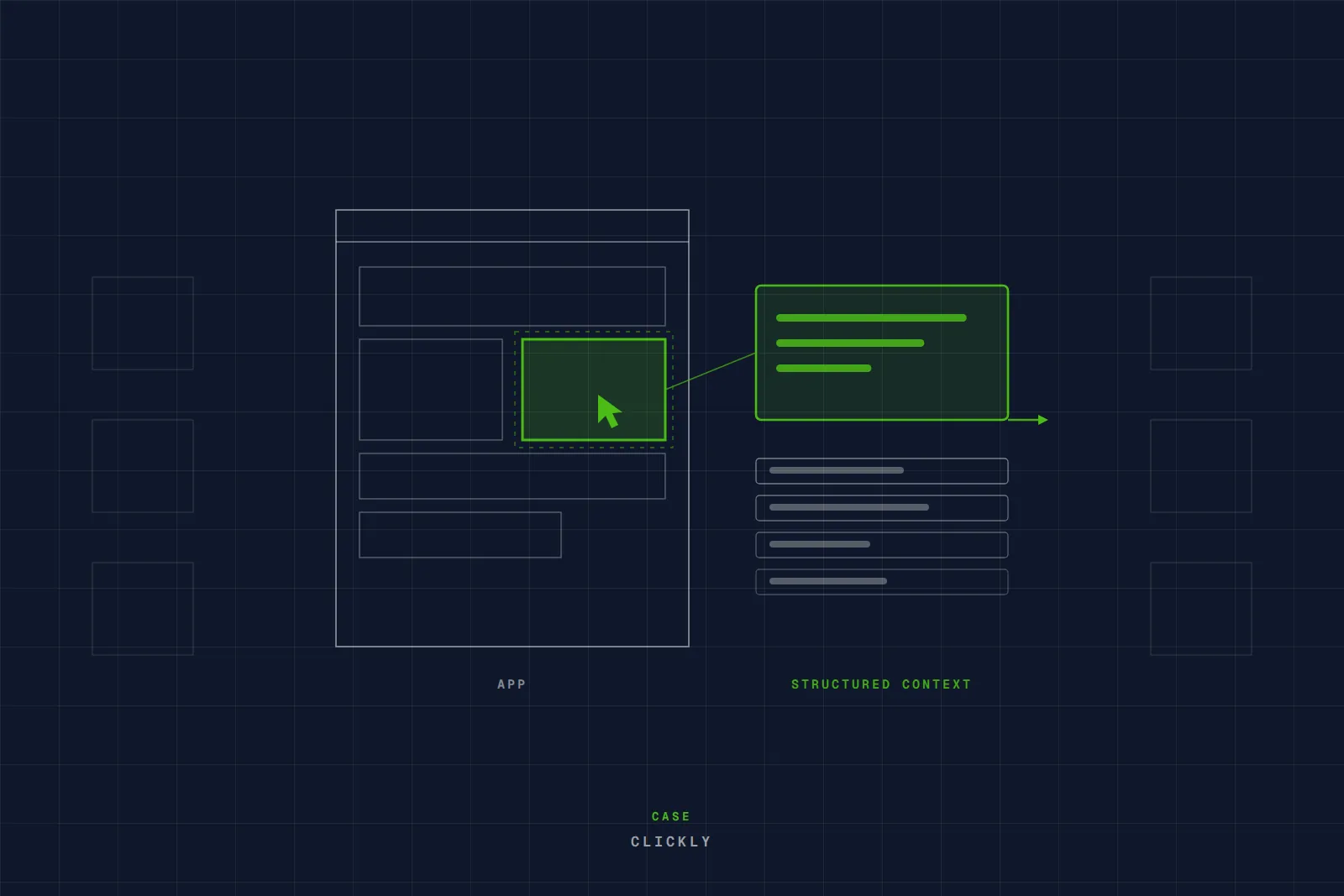
Clickly is one React component dropped into an app with no configuration. It adds a floating toolbar; clicking any element rings it, opens an annotation popup, and turns the selection into structured, agent-ready markdown — selector, source location, component tree, computed styles — delivered straight to Claude Code, Cursor or any agent over MCP. Animations can be frozen mid-state, so a transition can be captured rather than described. It ships as two packages: a framework-agnostic core holding the selection state machine, overlay renderer, metadata collectors and annotation schema, and a thin React binding on top, so a second framework is a wrapper rather than a rewrite.
A tool people can install — published, versioned in public, and in use by developers who never spoke to us.
SYSTEM DELIVERABLES
What we actually built, and why each piece had to exist — the scope as it shipped.
Framework-Agnostic Core
The selection state machine, overlay renderer, metadata collectors and annotation schema, published as its own package so a non-React binding is a wrapper rather than a second implementation.
Drop-In React Binding
One component, no configuration, peer-dependent on React 18 or 19 so it goes into an existing application without forcing a version upgrade.
Agent Handoff Over MCP
Structured output carrying the CSS selector, source file location, React component tree and computed styles, delivered live to Claude Code, Cursor or any MCP-speaking agent.
Annotation And Capture
Click-to-select with a hover ring, an inline annotation popup, screenshot capture, and animation freezing so a mid-transition state can be handed over instead of described.